

How companies replace SAP Workflow Management, centralize approval processes, and finally become scalable with BTP
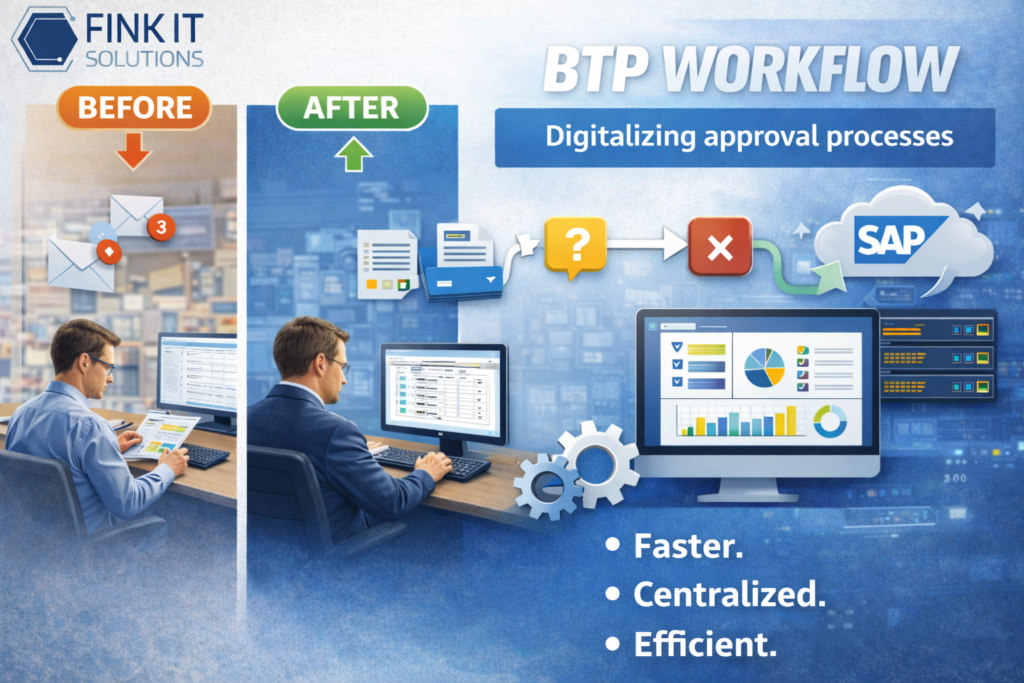
At a glance:
An SAP workflow is a digitally controlled business process within the SAP system landscape that automatically routes tasks, approvals, and decisions.
The current platform for process automation is SAP Build Process Automation (SBPA) on the SAP Business Technology Platform (BTP). It replaces classic Workflow Management and combines low-code design, RPA, native S/4HANA integration, and generative AI — Clean Core-compliant and upgrade-safe.
Table of contents
- 1. What is an SAP workflow? — Definition & distinction
- 2. SAP Workflow Management vs. SAP Build Process Automation — what has changed?
- 3. SAP BTP Workflow: The strategic framework hardly anyone mentions
- 4. Concrete benefits of a modern SAP workflow — with figures
- 5. SAP workflow use cases in mid-sized businesses
- 6. SAP workflow & usability: Why adoption decides everything
- 7. Integration: SAP S/4HANA, ECC and non-SAP systems
- 8. Implementing SAP workflow — step by step
- 9. Conclusion & recommendation for action
- 10. FAQ
1. What is an SAP workflow? — Definition & distinction
An SAP workflow is a structured, digitally controlled business process within an SAP system landscape that automatically routes tasks, approvals, and decisions according to predefined rules — without manual intervention, without email chains, without media discontinuity.
That sounds like IT theory. But it is not.
In practice, this means: an incoming invoice is automatically captured, checked, and forwarded for approval. Decisions are made in seconds instead of minutes.
The distinction is important:
Such a process is not a ticketing system, not an email inbox with rules, and not an Excel list. It is a centrally controlled, rule-based process logic with direct access to SAP data and full traceability.
Compared to external tools, the logic remains integrated within the SAP landscape — without media discontinuity or duplicate systems.
2. SAP Workflow Management vs. SAP Build Process Automation — what has changed?
Here is what you need to know before making any decision:
SAP Workflow Management has been discontinued.
SAP has officially marked its previous workflow service as end-of-life. Since 2022, the strategic successor for all SAP workflow requirements has been SAP Build Process Automation (SBPA), and the differences are fundamental.
| Feature | SAP Workflow Management (old) | SAP Build Process Automation (new) |
|---|---|---|
| Architecture | Cloud Foundry, Neo | Cloud Foundry (current data centers) |
| Target group | IT developers | Business users + IT (co-creation) |
| Process design | Code-intensive | Low-code / no-code, drag-and-drop |
| RPA integration | Separate | Natively integrated |
| AI functions | None | Generative AI (Q1 2025) |
| Clean Core | Partial | Fully compliant |
| Prebuilt content | Limited | SAP Build Store with ready-made templates |
| S/4HANA license | Separate license | Included since April 2025 |
What this means for ongoing projects: Existing workflows from SAP Business Application Studio can be transferred to SAP Build Process Automation. Business Rules and Process Visibility Scenarios must be migrated, and SAP has provided documented migration paths for this. New development is carried out exclusively in SBPA.
3. SAP BTP Workflow: The strategic framework hardly anyone mentions
Anyone who talks about SAP workflow without mentioning Clean Core is telling only half the story.
Clean Core means: your SAP core system — whether S/4HANA on-premise or cloud — stays as close as possible to the SAP standard. No customer-specific modifications directly in the system. No Z-code that becomes a risk with the next release. No upgrade projects that take six months because someone wrote something directly into the system logic back in 2014.
Custom process logic — approval rules, escalation models, workflow automations — is implemented externally via SAP BTP. Decoupled from the core. Upgrade-safe. Technically debt-free.
This is not an academic recommendation. It is SAP’s official product strategy, and in every S/4HANA transformation project it is the decisive lever that determines maintenance costs, upgrade capability, and long-term TCO.
What this means in practice: every SAP workflow you build on BTP today is automatically Clean Core-compliant. You are not creating new technical debt. You are eliminating the old one.
And the best part: since April 2025, SAP Build — including SAP Build Process Automation — has been included in SAP Cloud ERP private packages. Anyone running S/4HANA Cloud already has the platform licensed.
4. Concrete benefits of a modern SAP workflow — with figures
Greater efficiency is not a promise. It is a measurement task.
The status quo in German companies: an employee who processes incoming invoices manually spends an average of 12 minutes per invoice. With 500 invoices per month, that adds up to more than 100 working hours — for a single repetitive task. Every month. With no added value.
What a modern SAP workflow turns this into:
→ 12 minutes → 45 seconds processing time per invoice after full SAP workflow automation — including a complete audit trail, which would otherwise cost up to €150,000 per year to create manually.
→ 60–70% shorter cycle times in invoice processing — measured in productive SAP AP automation projects.
→ Up to 90% fewer manual errors thanks to rule-based validation logic, automatic three-way matching, and defined escalation mechanisms.
→ 54% of SAP decision-makers now rate process automation as “extremely important” — up from 40% the previous year. The strategic priority has shifted fundamentally within twelve months.
For a mid-sized company with 500 invoices per month, this means: 100 working hours become fewer than 7. Without additional staff. Without changing systems. With the SAP infrastructure that is already licensed.
The four strategic advantages at a glance:
- Full process transparency No process disappears into an inbox anymore. Every step is documented, every responsible person identified, every delay immediately visible — in real time, on a dashboard.
- End-to-end automation Recurring decisions are made based on rules. Escalations run automatically. Exceptions are routed specifically to the right person — not to everyone.
- Centralized control instead of sprawl Instead of running ten different approval models in ten different departments, all SAP workflows run on one platform. One governance layer. One maintenance instance.
- Scalable flexibility Processes can be adjusted at any time — without a development project, without a ticket queue, without a six-week implementation time.
5. SAP workflow use cases in mid-sized businesses
SAP Build Process Automation is not a niche tool for isolated cases. It is a platform for all areas where decisions, approvals, and rules play a role.
Invoice approval — Source-to-Pay The classic entry point and the fastest ROI. A bot automatically extracts invoice data after upload, creates the entry in the SAP system, and routes the document for approval based on defined business rules. Including automatic escalation, rejection notification, and full compliance documentation. No manual intervention. No forgotten email.
Purchasing approvals — Purchase Orders Orders are automatically routed depending on amount, cost center, and budget. Parallel approvals for quantity and financial responsibility. Compliance requirements are met — without HR or controlling needing to follow up.
HR processes — Hire-to-Retire Onboarding, offboarding, parental leave, transfer requests, vacation approvals — everything in consistent, guided processes. Ready-made content packages for SAP SuccessFactors are available in the SAP Build Store and can go live within a few days.
Investment requests and CAPEX approvals Multi-stage SAP workflow chains with automatic escalation in case of missed deadlines. Every decision documented in an audit-proof manner. Every step traceable for audits.
Internal service processes IT service requests, access authorizations, travel expense approvals, defect reports — centralized on one platform instead of being spread across ticketing systems, Teams chats, and inboxes.
Intercompany processes For corporate groups with multiple SAP systems, BTP Workflow enables a uniform control layer across all entities — without system-specific siloed solutions.
Further examples of SAP process automation can be found on our blog: https://blog.fink-its.de/
6. SAP workflow & usability: Why adoption decides everything
Here is a truth that appears in no SAP presentation, but determines every rollout:
An SAP workflow that nobody uses is not a workflow. It is just another IT project gathering dust on the intranet.
The user interface of SAP Build Process Automation consistently follows SAP Fiori standards. Anyone who knows SAP knows the interface. No need to learn new software. No weeks of training. No acceptance problems caused by unfamiliarity.
Since Q1 2025, SAP Task Center has been embedded in all SAP Build Work Zone editions: a central task view for SAP workflow tasks from multiple SAP systems — directly on the Work Zone homepage, without separate integration, without separate login.
For executives, this means in concrete terms: approvals via smartphone, on the go, in under 60 seconds. No VPN. No system switch. No waiting until returning to the office.
And for business users, the following applies: since Q1 2025, process owners can describe business scenarios in natural language — SAP Build’s generative AI automatically creates forms, decision logic, and SAP workflow structures from this. What used to require a developer and three weeks of coordination now takes one afternoon.
7. Integration: SAP S/4HANA, ECC and non-SAP systems
A workflow on the SAP Business Technology Platform is not a siloed system. It controls processes across systems — and that is exactly the decisive advantage over many external tools.
Native integration into SAP systems
The platform is directly connected to key SAP solutions:
- SAP S/4HANA (Public Cloud, Private Cloud, On-Premise) — fully integrated, without additional middleware
- SAP ECC — still usable, even in hybrid system landscapes
- SAP SuccessFactors — seamless mapping of HR processes
- SAP Ariba & SAP Fieldglass — end-to-end procurement processes without interface overhead
- SAP S/4HANA 2025 — integration of business and flexible workflows into Process Visibility Scenarios with a live dashboard on BTP
Integration of non-SAP systems
External applications can also be connected without difficulty. Via the SAP Integration Suite, systems such as Salesforce, Microsoft 365, ServiceNow, or Workday are integrated through standardized APIs.
The result: no custom interface solutions, no unstable point-to-point connections — but a robust, scalable integration architecture.
Advantage for hybrid landscapes
Many companies are currently still running SAP ECC and S/4HANA in parallel. This is exactly where the platform shows its strength: with SAP Build Process Automation, a unified control layer for all processes is created — regardless of the underlying system. One shared process model. One central governance. No duplicate complexity.
8. Implementing SAP workflow — step by step
An SAP workflow initiative rarely fails because of technology. It fails because of lack of focus, scope that is too broad, and insufficient involvement of business departments.
That is why no 18-month roadmap is created. No big-bang implementation. No parallel development of five use cases at the same time.
Phase 1 — Process analysis with ROI focus Identify the one SAP process candidate with the highest frequency, the greatest manual effort, and the clearest decision logic. Invoice approval is the optimal starting point in almost every company because it is universal, clearly measurable, and delivers immediate ROI.
Phase 2 — Pilot project with the business department as co-designer Process experts know best where the real weaknesses lie. Involve them early — not as informed stakeholders, but as active co-creators. Only an SAP workflow that reflects the real requirements of users will actually be used.
Phase 3 — Put the pilot into production, measure, communicate Bring the first SAP process live. Measure cycle time, error rate, and usage rate. Communicate the results internally in a visible way. Then scale — based on data, not assumptions.
Phase 4 — Governance & change management Role-specific onboarding for AP teams, finance managers, purchasing, and SAP administrators is not an optional measure. It is the prerequisite for investments in SAP automation to actually deliver results.
Phase 5 — Gradual expansion to additional use cases With the first productive SAP workflow as a reference, further processes can be introduced faster, more cost-effectively, and with higher acceptance. Every iteration makes the model more robust.
9. Conclusion & recommendation for action
SAP workflow automation with SAP Build Process Automation is not the next hype in the SAP ecosystem.
It is the strategic answer to a structural weakness that has been costing companies money, time, and competitiveness for years. And it is the platform on which SAP has built its entire workflow future — Clean Core-compliant, AI-ready, natively integrated into S/4HANA.
The combination of upgrade-safe BTP architecture, generative AI in process design, mobile usability, and real SAP integration makes SAP Build Process Automation the key lever for operational excellence — especially in the German mid-market, where efficiency is not a luxury but a survival strategy.
Since April 2025, the license has already been included for S/4HANA Cloud customers. What is missing is the first step.
Fink IT-Solutions supports you from the initial process analysis to the productive SAP workflow, with a focus on measurable business value — not project volume.
If you would like to know which of your current SAP processes have the greatest automation potential, contact us directly. The initial assessment costs you 45 minutes and no license.
10. FAQ
An SAP workflow is a digitally controlled, rule-based business process within the SAP system landscape that automatically routes tasks, approvals, and decisions. The current platform is SAP Build Process Automation on the SAP Business Technology Platform.
SAP Workflow Management is the discontinued predecessor product. SAP Build Process Automation is the complete strategic successor — cloud-native, low-code-first, with integrated RPA and generative AI. New SAP workflows are developed exclusively in SBPA.
Simple automations such as a standardized invoice approval process are typically productive within two to four weeks. More complex, cross-system scenarios require correspondingly more planning effort.
Invoice approvals, purchasing approvals, HR onboarding, CAPEX requests, and internal service processes are the most common and highest-ROI SAP workflow use cases in mid-sized businesses.
Yes. Via the SAP Integration Suite, external systems such as Salesforce, Microsoft 365, or ServiceNow can be seamlessly integrated into the SAP workflow using API connectors.
Since April 2025, SAP Build has been included in SAP Cloud ERP private packages. Customers with SAP S/4HANA Cloud can start SAP workflows directly without an additional license.